

Time Based Cover
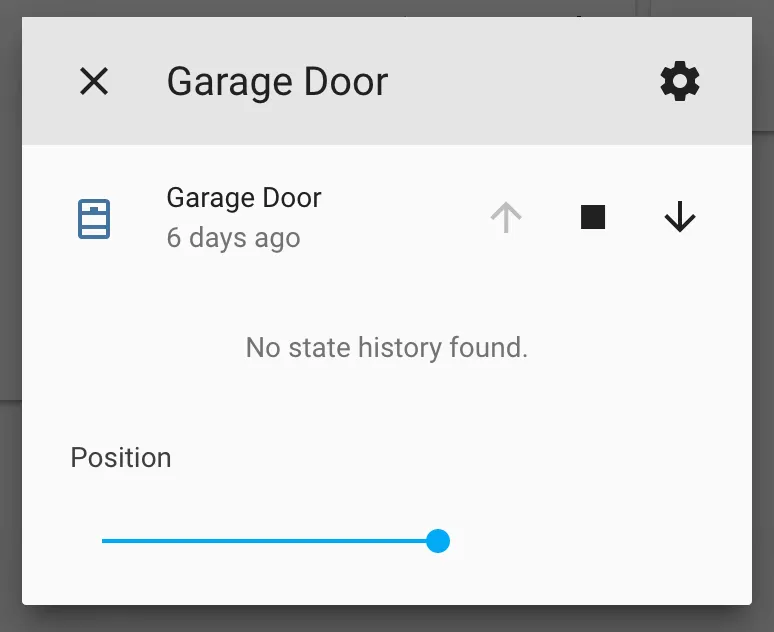
The time_based cover platform allows you to create covers with position control that do not
have any position feedback. The state of the cover is thus always an assumed one, the current
position is approximated with the time the cover has been moving in a direction. The state
of the cover can be restored at node reboot.
# Example configuration entrycover:  - platform: time_based    name: "Time-Based Cover"
    open_action:      - switch.turn_on: open_cover_switch    open_duration: 2.1min
    close_action:      - switch.turn_on: close_cover_switch    close_duration: 2min
    stop_action:      - switch.turn_off: open_cover_switch      - switch.turn_off: close_cover_switch
Configuration variables
Section titled “Configuration variables”-
open_action (Required, Action): The action that should be performed when the remote requests the cover to be opened.
-
open_duration (Required, Time): The amount of time it takes the cover to open up from the fully-closed state.
-
close_action (Required, Action): The action that should be performed when the remote requests the cover to be closed.
-
close_duration (Required, Time): The amount of time it takes the cover to close from the fully-open state.
-
stop_action (Required, Action): The action that should be performed to stop the cover when the remote requests the cover to be stopped or when the cover has been opening/closing for the given durations.
-
has_built_in_endstop (Optional, boolean): Indicates that the cover has built in end stop detectors. In this configuration the
stop_actionis not performed when the open or close time is completed and if the cover is commanded to open or close the corresponding actions will be performed without checking current state. Defaults tofalse. -
manual_control (Optional, boolean): For covers with manual external controls. With this configuration if the cover is commanded to open or close the corresponding actions will be performed even if the current state fully open or fully closed matches desired state, then
stop_actionwill be called after the full duration of the action elapses. The current state will then be relearned upon completion. It’s recommended to setassumed_stateto true so the cover control button aren’t disabled in the interface. Defaults tofalse. -
assumed_state (Optional, boolean): Whether the true state of the cover is not known. This will make the Home Assistant frontend show buttons for both OPEN and CLOSE actions, instead of hiding or disabling one of them. Defaults to
true. -
All other options from Cover.
NOTE
The stop button on the UI is always enabled even when the cover is stopped and each press
on the button will cause the stop_action to be performed.
Handle stop_action
Section titled “Handle stop_action”For some cover controllers, separate switches for UP and DOWN action are used while a stop is issued when sending a counter command. This can be handled at the stop_action by using the following lambda function:
stop_action: - lambda: !lambda |- if (id(cover).get_last_operation() == CoverOperation::COVER_OPERATION_OPENING) { // Cover is currently opening id(cover_button_down).press(); } else if (id(cover).get_last_operation() == CoverOperation::COVER_OPERATION_CLOSING) { // Cover is currently closing id(cover_button_up).press(); }External Sensing & Manual Override
Section titled “External Sensing & Manual Override”If your cover (like a standing desk or motorized blind) has its own physical buttons that operate the motor directly, ESPHome can track the cover’s position when it’s moved manually.
You can update the internal state of the time_based cover from a lambda using the update_external_state(bool up_active, bool down_active) method.
When either of these states is true, the cover enters an “external override” mode, which actively ignores commands from Home Assistant to prevent conflicting movements.
Once both are false, it resumes normal operation.
C++ Method:
// up_active: True if the cover is currently being manually opened/raised.// down_active: True if the cover is currently being manually closed/lowered.id(my_cover).update_external_state(up_active, down_active);Example Configuration:
Section titled “Example Configuration:”This example assumes you are using GPIO pins to monitor the voltage of physical “Up” and “Down” buttons.
cover:  - platform: time_based    name: "Desk"    id: desk_cover    open_duration: 17s    close_duration: 16s    open_action:      - switch.turn_on: button_up    close_action:      - switch.turn_on: button_down    stop_action:      - switch.turn_off: button_up      - switch.turn_off: button_down
script:  - id: process_desk_buttons    mode: restart    then:      - lambda: |-          // Check if the physical button is pressed but the relay (switch) is off.          // This indicates a human is pressing the button, not ESPHome.          bool human_up = id(desk_button_up).state && !id(button_up).state;          bool human_down = id(desk_button_down).state && !id(button_down).state;
          // Ignore manual tracking if ESPHome is currently driving the motor          if (id(button_up).state && !human_down) return;          if (id(button_down).state && !human_up) return;
          // Update the cover's internal state          id(desk_cover).update_external_state(human_up, human_down);
binary_sensor:  - platform: gpio    id: desk_button_up    pin:      number: 18      mode: INPUT_OUTPUT_OPEN_DRAIN      allow_other_uses: true      inverted: true    filters:      - delayed_on: 50ms      - delayed_off: 50ms    on_state:      then:        - script.execute: process_desk_buttons
  - platform: gpio    id: desk_button_down    pin:      number: 16      mode: INPUT_OUTPUT_OPEN_DRAIN      allow_other_uses: true      inverted: true    filters:      - delayed_on: 50ms      - delayed_off: 50ms    on_state:      then:        - script.execute: process_desk_buttons